---
title: Webpack Module Federation 직접해보기
tags:
- webpack
- react
- micro-frontend
published: true
date: 2020-11-05 22:19:14
description: 'Micro Frontend 🤔'
---
https://yceffort.kr/2020/09/webpack-module-federation 에서 이어진다.
webpack 5가 발표 되면서 동시에 module federation도 직접해볼 수 있게 되었다. 한번 직접 적용해보면서 정말로 게임 체인저가 될 수 있는지 살펴보자.
해당 예제 프로젝트 저장소는 [여기](https://github.com/yceffort/webpack-module-federation-exmaple)다.
react v17과 webpack 5를 바탕으로, 아주 기초적인 세팅만 해서 빠르게 개발을 진행해보았다.
## main 설정
일단 메인 프로젝트가 있고, 여기저기에 있는 컴포넌트를 가져다 쓰는 모습을 상상해보면서 프로젝트를 만들어보자. main은 module federation으로 서빙되는 다른 프로젝트를 가져다가 쓰는 federation의 중심이라고 보면 될 것 같다.
`webpack.config.js`
```javascript
const path = require('path')
const HtmlWebpackPlugin = require('html-webpack-plugin')
const {ModuleFederationPlugin} = require('webpack').container
module.exports = {
entry: './src/index',
mode: 'development',
devServer: {
contentBase: path.join(__dirname, 'dist'),
port: 3001,
},
output: {
publicPath: 'http://localhost:3001/',
},
module: {
rules: [
{
test: /\.jsx?$/,
loader: 'babel-loader',
exclude: /node_modules/,
options: {
presets: ['@babel/preset-react'],
},
},
],
},
plugins: [
new ModuleFederationPlugin({
name: 'main',
remotes: {
app1: 'app1',
},
shared: ['react', 'react-dom'],
}),
new HtmlWebpackPlugin({
template: './public/index.html',
}),
],
}
```
[ModuleFederationPlugin](https://webpack.js.org/concepts/module-federation/)을 사용한 것을 볼 수 있다. 이 플러그인은 `ContainerPlugin`과 `ContainerReferencePlugin` 를 합친 개념이라고 보면 될 것 같다.
여기는 단순히 expose 한 다른 federation을 가져다 쓰는 역할만 하기 때문에, `exposes`를 하기 않고 있다.
## app1 설정
`main`에서 가져다 쓸 실제 컴포넌트를 expose하는 곳이다.
`webpack.config.js`
```javascript
const path = require('path')
const HtmlWebpackPlugin = require('html-webpack-plugin')
const {ModuleFederationPlugin} = require('webpack').container
module.exports = {
entry: './src/index',
mode: 'development',
devServer: {
contentBase: path.join(__dirname, 'dist'),
port: 3002,
},
output: {
publicPath: 'http://localhost:3002/',
},
module: {
rules: [
{
test: /\.jsx?$/,
loader: 'babel-loader',
exclude: /node_modules/,
options: {
presets: ['@babel/preset-react'],
},
},
],
},
plugins: [
new ModuleFederationPlugin({
name: 'app1',
library: {type: 'var', name: 'app1'},
filename: 'remoteEntry.js',
exposes: {
'./Counter': './src/components/counter/index.jsx',
},
shared: ['react', 'react-dom'],
}),
new HtmlWebpackPlugin({
template: './public/index.html',
}),
],
}
```
`main`과 차이점은 `exposes`가 있다는 것이다. 여기에서는 간단한 `Counter`를 내보내도록 하고 있다. 그리고 이렇게 내보낸 `Counter`를 `https://localhost:3000/remoteEntry.js`에서 서비스 하도록 설정해주었다.
## main
`index.html`
```html
Main App
```
아까 서빙하기로 작성해둔 `remoteEntry.js`를 땡겨오는 모습이다. 물론 더 빠르게 만들기 위해서는 async 등을 사용할 수 도 있다.
`bootstrap.js`
이름이 `bootstrap`인 이유는 공식 문서에서 그렇게 하고 있길래 그렇게 했다. 👀 뜻과도 연관이 있을듯.
```javascript
import React, {Suspense} from 'react'
import ReactDOM from 'react-dom'
const Counter = React.lazy(() => import('app1/Counter'))
function App() {
return (
<>
Hello from React component
)
}
ReactDOM.render(, document.getElementById('root'))
```
`React`의 `lazy`와 `suspense`를 활용하여 `app1`에서 expose한 `Counter`를 가져다 쓰고 있다.
## 결과
카운터가 잘 나오고 있고
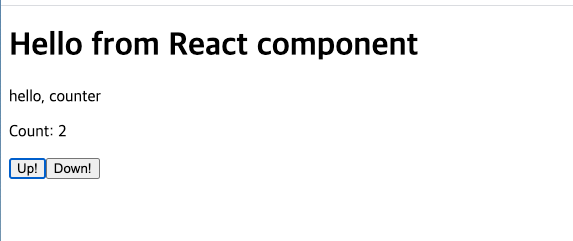
정상적으로 `remoteEntry`에서 가져다 쓰는 것을 볼 수 있다.

그리고 두 컴포넌트 모두 `share`로 `['react', 'react-dom']`을 쓰고 있었는데, 이것 역시 중복되지 않고 `main`에서 묶어서 쓰고 있는 것을 알 수 있었다.
## 좋은 점 내지는 기대하는 미래
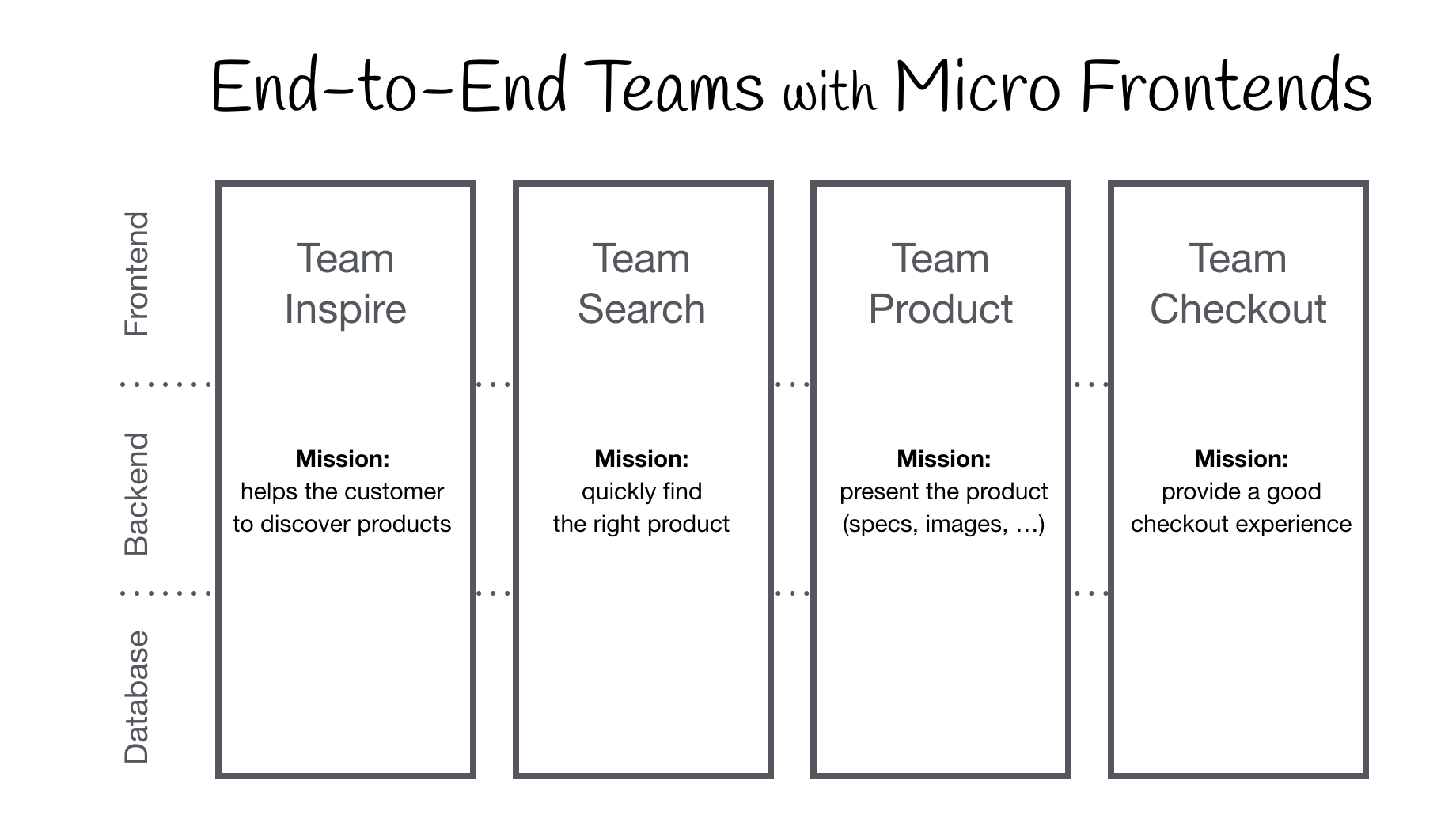
요즘 유행이라고 하는 [Micro Frontend](https://micro-frontends.org/)를 달성할 수 있는 좋은 방법 중 하나 인 것 같다. 하나의 앱이 덩치가 너무 커서, 싱글 폴트의 위험 내지는 개발환경에서 쓸 데 없이 다 불러와야 하는 문제 등등이 존재하는데, module federation이 그것을 훌륭하게 해결해 줄 수 있을 것 같다. (물론 `main`이 고장나버리면 답이 없겠지만)
## 아쉬운 점
문서가 잘 나와있으면 좋을 것 같은데 아직 webpack의 문서가 좀 부실한 것 같다.
그래서
- https://github.com/webpack/webpack/blob/master/lib/container/ContainerPlugin.js
- https://github.com/webpack/webpack/blob/master/lib/container/ContainerReferencePlugin.js
- https://github.com/webpack/webpack/blob/master/lib/container/ModuleFederationPlugin.js
- https://github.com/module-federation/module-federation-examples
를 그냥 참고 하면서 했다. 다른 여타 기능들 처럼 webpack document에서 옵션으로 들어갈 수 있는 object의 특징이나 값을 명시해주었으면 좋겠다.
https://webpack.js.org/concepts/module-federation/#containerplugin-low-level
아직은 문서가 그냥 아주 간단한 예제와 컨셉정도만 보여주고 있어서 아쉽다.
이러한 Documentation의 아쉬움 말고는 아직 이렇다할 단점을 느끼지 못했다. (물론 대규모 서비스에 직접 써보지는 않았지만) 향 후에 `create-react-app`이라든지, 다른 프론트엔드 생태계에서 적극적으로 사용되어서 더욱 발전해나갔으면 좋겠다.
## 다양한 예제들
더욱 다양한 예제들은 [여기](https://github.com/module-federation/module-federation-examples)에서 볼 수 있다.